Mobile Device Management (MDM)
To manage our mobile devices in our organization, Mobile Device Management or MDM refers to the software and policies used by organizations to manage these devices. To use an MDM, the device first needs to enrol in the MDM.
Once enrolled, the mobile phone can be configured. This allows the device to be secured as per company polices. The device can also be monitored, for example the device location.
Lastly, the MDM can collect information about the device. For example, statistical information about how many times an application has been run and for how long.
MDMs have become essential in today’s workplaces where mobile devices are becoming integral to everyday tasks. MDM helps ensure the security of company data, streamlines device management, and enhances productivity by enabling remote management and policy enforcement.
Bring Your Own Device (BYOD)
Bring Your Own Device or BYOD refers to employees using their personal devices, such as smartphones and tablets for work purposes. Nowadays, BYOD has become increasingly popular as it offers flexibility and cost savings for both employees and organizations. Employees prefer using familiar devices, which can enhance productivity and satisfaction, while companies save on hardware costs.
However, with BYOD, security and data management are critical concerns. Essentially, company data is on a device the company did not purchase or control. To address this, organizations typically implement an MDM for mobile devices. When a device enrolls in an MDM, it is effectively controlled by that MDM. How much control the user has on the device is dependent on what settings have been configured on the MDM.
A device can only be enrolled in one MDM at a time. When you use your own personal device, enrolling it in an MDM usually means it is managed only for that purpose. In other words, while the device is enrolled in the MDM, it is effectively treated as the company’s device. Now, let’s take a closer look at what an MDM is and why companies use them.
Compliance
One of the key reasons for using MDM is ensuring compliance. When a company allows a device, especially a personal one, onto its network, MDM ensures it won’t compromise security or introduce threats.
Once the device has been enrolled in an MDM, the MDM can enforce configuration like complex passwords, restricting unauthorized Apps, encryption and updates applied. The MDM will automatically configure settings where possible, such as enabling encryption. If it cannot perform an action, for example installing an update, it can quarantine the device until compliance is met, depending on the MDM’s configuration.
This is why some companies are allowing their staff to support their own devices, because essentially the company has control of the device. But what happens when the company no-longer has control over the device? For example, the device is lost or the staff member quits the company?
Remote Wipe
MDM also adds the ability to remotely wipe the device. This critical functionality allows organisations to remotely erase all data on a mobile device if it is lost or stolen. Initiated from the MDM, the remote wipe ensures data security even when physical access to the device is not possible.
A remote wipe can be a factory reset of the device. Factory reset removes all data from the device and resets the configuration back to the way it was when the device was first purchased. The MDM can also be configured to require authorization before re-use. Upon restart, the device will enter the initial setup wizard and prompt for the credentials to authorize its use. This feature means that in the event of theft, the data is erased, and the device becomes unusable without authentication, making it less appealing to steal.
In some cases, the MDM manages network access rather than fully controlling the device, focusing on security and removing confidential data when the device is no longer needed on the network. In such instances, the MDM can remove only company data and configurations instead of performing a full factory reset. This is often used for colleges and other training centres rather than companies.
Microsoft Endpoint Manager/Intune
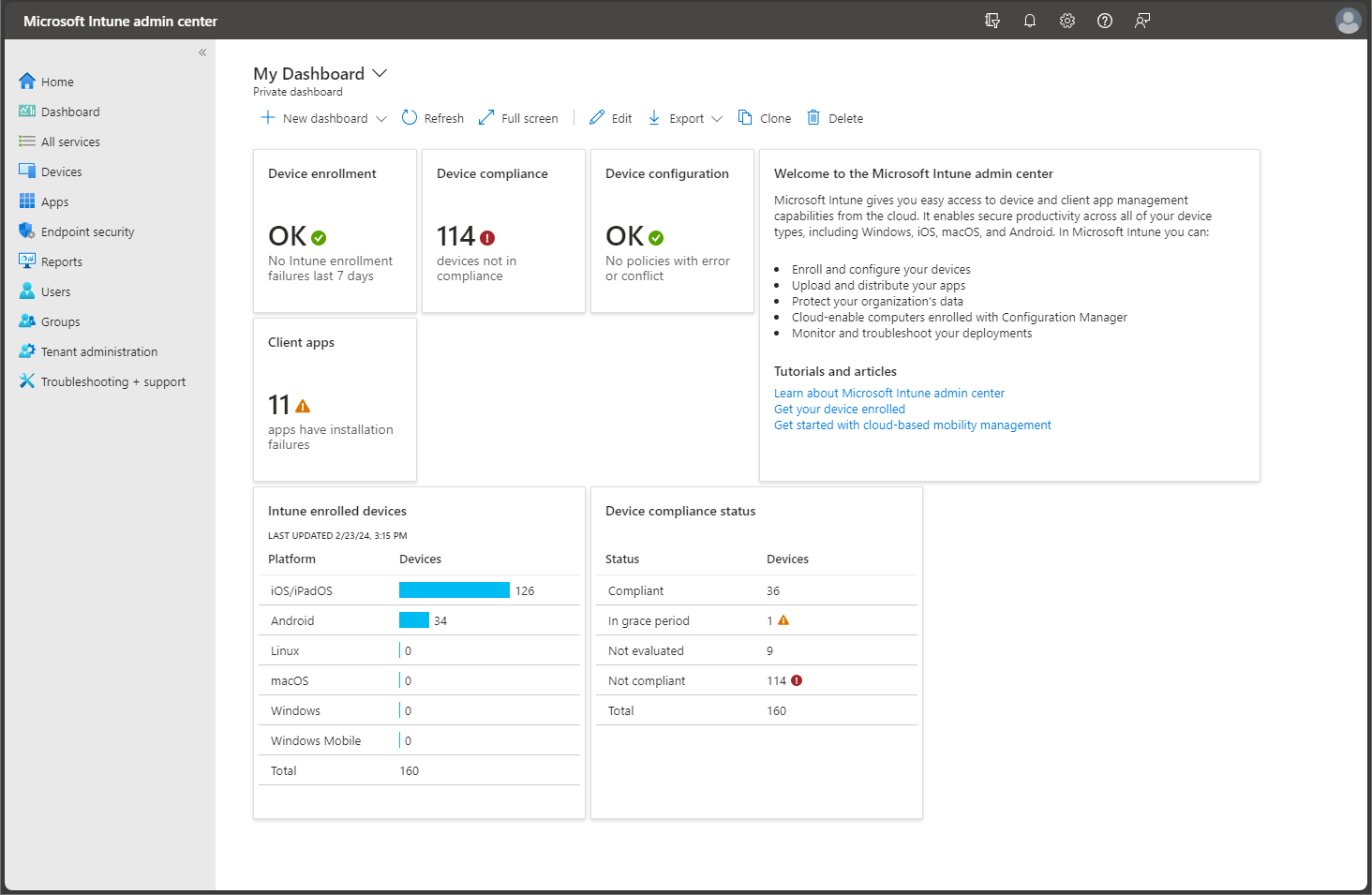
The increasing prevalence of mobile devices in the workplace necessitates robust MDM solutions to ensure data security, manage applications, and control device functionality. There are many different solutions on the market, shown here is Microsoft Endpoint Manager/InTune.
This cloud-based solution enables organisations to manage and secure mobile devices and applications across various platforms, including iOS, Android, Windows, and Mac. It offers features like device configuration, application management, data protection, and compliance reporting.
This is only one of the MDM solutions on the market. If you are planning on implementing an MDM in your organization, it is worth having a look at what is available on the market.
End Screen
That concludes this video from ITFreeTraining on Enterprise Mobile Management. I hope you found it informative. Until the next video, thank you for watching.
References
“The Official CompTIA A+ Core Study Guide (Exam 220-1101)” pages 270 to 271
“License CC BY 4.0” https://creativecommons.org/licenses/by/4.0/
“Picture: Intune” https://learn.microsoft.com/en-us/mem/intune/fundamentals/media/tutorial-walkthrough-endpoint-manager/tutorial-walkthrough-mem-02.png
Credits
Trainer: Austin Mason https://ITFreeTraining.com
Voice Talent: HP Lewis http://hplewis.com
Quality Assurance: Brett Batson https://www.pbb-proofreading.uk